Free Arabic to English Typing - Online Transliteration
For the best experience, use Microsoft Edge when speaking into the microphone.
Intro to Arabic to English Online Typing & Transliteration
Welcome to our 'Arabic to English Typing and Transliteration Tool,' an easy-to-use free service that converts Arabic text to English script. Arabic is a Central Semitic language that originated during the Iron Age and has evolved into a major lingua franca across the Arab world. Today, Arabic is one of the most widely spoken languages globally, serving as an official language in over 20 countries and playing a crucial role in culture, trade, and communication throughout the Middle East and North Africa. English Transliteration Tool changes Arabic text into English script while keeping the sound of the words the same.
It's really helpful for those who can speak English but find it hard to write. With its user-friendly interface, simply type your Arabic text and get the English equivalent text or alphabets. Try this tool to transliterate Arabic text, sentences, numbers, and even alphabets to English script today!
Try Below Online Typing Tools
Arabic to English Transliteration
This table helps you read Arabic words by using English letters to show the same sounds. You will see simple Arabic sentences and how each one is written in English script. This means you are not changing the meaning, only the way the words look. By using this table, you can practice how Arabic sounds without needing to know all the Arabic letters yet. It is a fun and easy way for you to improve your reading and speaking skills step by step.
| Arabic Text | Transliteration (English Script) |
|---|---|
| مرحبا كيف حالك؟ | Marhaban kayfa haluk? |
| أنا أحب القراءة | Ana uhibbu al-qira'ah |
| الجو جميل اليوم | Al-jaw jameel al-yawm |
| أين تذهب الآن؟ | Ayna tadhhab al-aan? |
| هذا صديقي المفضل | Hatha sadeeqi al-mufaddal |
| نحن ندرس اللغة العربية | Nahnu nadrus al-lughah al-arabiyyah |
| هل تريد المساعدة؟ | Hal tureed al-musa'adah? |
| أنا أذهب إلى المدرسة | Ana adhhab ila al-madrasah |
| الطعام لذيذ جدا | Al-ta'am ladheed jiddan |
| أحب قضاء الوقت مع عائلتي | Uhibbu qada' al-waqt ma'a 'ailati |
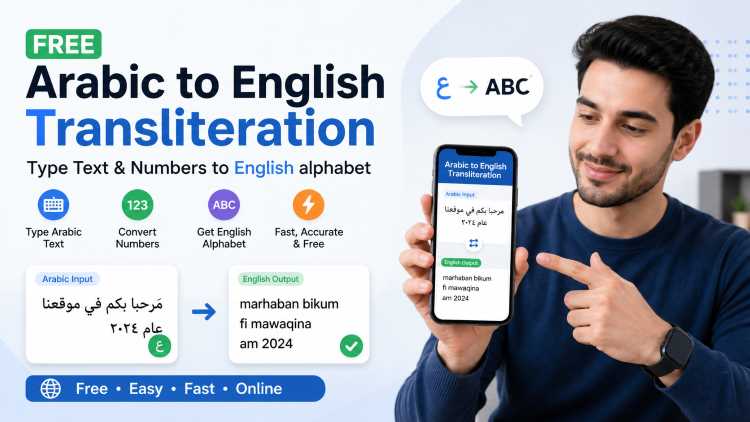
Convert Arabic text into English letters instantly using this free online Arabic transliteration tool. Whether you need to transliterate Arabic words for pronunciation, learning, or everyday communication, this tool delivers accurate results in real time — no signup, no download, and no technical knowledge required. It also supports Arabic numerals to English digit conversion, making it a complete solution for all your Arabic-to-English conversion needs.
What Is Arabic to English Transliteration?
Arabic to English transliteration is the process of representing Arabic script using English alphabet letters based on how the words sound. Unlike translation, which changes the meaning of a word, transliteration only converts the written form so you can read and pronounce it. For example, the Arabic word "مرحبا" becomes "Marhaba" in transliterated English. This method is widely used in language learning, international communication, tourism, and digital content creation for Arabic-speaking audiences.
Why Use Our Arabic Transliteration Tool?
Our tool is built for speed, accuracy, and ease of use. It works directly in your browser, requires no technical setup, and gives you instant results as you type or paste Arabic content. Here is why people keep coming back to it:
Instant Real-Time Conversion
You see the transliteration results the moment you start typing or pasting Arabic text — no convert button, no waiting. The live output makes reviewing and editing content smooth and fast, which genuinely saves time when you are working through large amounts of text.
Arabic Numbers to English Digits
Arabic numerals used across the Middle East, such as ١٢٣, look different from the standard English digits most people are familiar with. The tool automatically detects and converts these into recognizable numbers like 1, 2, 3. This is particularly handy when reading Arabic invoices, dates, phone numbers, or any document heavy on numerical data.
Completely Free with No Account Required
Every feature of this tool is free to use. There are no subscription plans, premium upgrades, or hidden charges to worry about. Just open it in your browser and start converting — it really is that straightforward.
Works Across All Devices
Whether you are on a phone during your commute, a tablet at home, or a desktop at work, the tool adjusts to your screen and performs consistently well. No app installation is needed, and it runs on all major browsers without any compatibility issues.
How to Use the Arabic to English Transliteration Tool
The whole process takes only a few seconds. Here is how it works:
Step 1: Enter Your Arabic Text
Type directly into the input field or paste Arabic text from wherever you have it — a document, a website, a WhatsApp message, or a social media post. The tool handles both Arabic words and Arabic numerals in the same input without any issues.
Step 2: Get Instant Transliteration
The moment you enter Arabic text, the English transliteration appears in the output field automatically. There are no extra steps. The conversion happens in real time, so you can edit on the fly and see updated results immediately.
Step 3: Copy and Use the Result
Once you are happy with the output, click the copy button to grab the transliterated text and paste it wherever you need it — emails, documents, captions, subtitles, or anywhere else. You can repeat the process as many times as you like without any limitations.
Who Can Benefit from This Arabic Transliteration Tool?
This tool was built to serve a wide range of people with different goals. Here are some of those who find it most useful:
Language Students and Learners
If you are just starting to learn Arabic, the script itself can feel overwhelming. Transliteration lets you read and practice pronunciation using familiar English letters before you tackle the full script. It works well alongside formal courses and gives beginners a much more approachable entry point into the language.
Travelers and Tourists
Reading street signs, restaurant menus, or place names in an Arabic-speaking country is a lot less stressful when you can phonetically sound out the words. This tool helps you bridge that gap quickly, making your travel experience less confusing and a lot more enjoyable.
Content Creators and Marketers
If you produce content for Arabic-speaking audiences or want to include Arabic words in English-language material, transliteration makes your work accessible to far more people. It also helps with SEO for bilingual content strategies and improves engagement on global platforms.
Businesses and Customer Support Teams
Companies that regularly deal with Arabic-speaking customers often run into communication challenges around names, addresses, and written messages. Transliteration makes it easier to understand and process that information accurately, which ultimately leads to better service.
Researchers and Academics
Scholars working with Arabic sources in English-language publications often need to cite names, terms, or titles in a readable format. Transliteration helps maintain consistency and clarity in cross-language academic work without losing the phonetic identity of the original Arabic.
Arabic Numbers to English Conversion – Explained
The Arabic-Indic numeral system, commonly used across Arab countries, uses symbols that look quite different from the Western digits most people are used to. The number five, for instance, is written as ٥ rather than 5. This tool automatically converts those numerals into standard English digits as part of the same conversion process. It is especially useful when you are dealing with:
- Arabic-format dates and calendars
- Prices listed on Arabic e-commerce platforms
- Phone numbers and postal codes in Arabic documents
- Statistical data in Arabic-language news or research
Common Arabic Words and Their Transliteration
To give you a practical sense of how the conversion works, here are some everyday Arabic words alongside their English transliterations and meanings:
| Arabic Script | English Transliteration | Meaning |
|---|---|---|
| مرحبا | Marhaba | Hello |
| شكرا | Shukran | Thank you |
| من فضلك | Min Fadlak | Please |
| نعم | Na'am | Yes |
| لا | La | No |
| مع السلامة | Ma'a Al-Salama | Goodbye |
| كيف حالك | Kayfa Halak | How are you? |
Frequently Asked Questions
What is the difference between transliteration and translation?
Transliteration represents how Arabic words sound using English letters, while translation converts the actual meaning of those words into English. For example, "مرحبا" becomes "Marhaba" through transliteration, but its translation is simply "Hello." Both serve very different purposes depending on what you actually need.
Is this Arabic transliteration tool completely free?
Yes, it is entirely free with no hidden fees, usage limits, or subscription tiers. You can convert as much Arabic text as you need without ever creating an account or entering payment details.
Can I convert Arabic numbers to English using this tool?
Yes. The tool automatically recognizes Arabic-Indic numerals in your input and converts them into standard English digits. You can process numbers and text together in the same conversion without any extra steps.
Do I need to install any software or browser extension?
Nothing to install. The tool is fully web-based and works on any modern browser across all devices, including Android, iOS, Windows, and macOS. You just open it and it is ready to use.
How accurate is the Arabic transliteration?
The tool provides high-accuracy results based on standard phonetic conventions for Arabic letters. Some Arabic sounds do not have a direct English equivalent, but the tool uses widely accepted representations to keep the output readable and consistent for most use cases.
Does it work with Arabic dialects as well as Modern Standard Arabic?
Yes, it works with Modern Standard Arabic and common regional dialects including Egyptian, Levantine, Gulf, and Maghrebi Arabic. Transliteration results may vary slightly depending on the dialect since pronunciation differences do exist between regions.
Start Converting Arabic Text to English Now
Whether you are a student trying to get a handle on Arabic pronunciation, a traveler making sense of signs and menus, or a creator trying to reach a wider audience, this tool gives you an easy and reliable way to work with Arabic text. Paste your content into the field above and get accurate transliteration results in seconds — free, fast, and ready whenever you need it.